


Order Slicing – Trade Above Freeze Quantity on Arihant Plus

By
Arihant Team
ArihantPlus’s Order Slicing feature allows traders to place F&O orders larger than the exchange-defined freeze quantity without manually breaking them into several orders. When the entered quantity exceeds the permitted freeze limit, Arihant Plus automatically divides it into smaller exchange-compliant orders.
In This Article
- What is Order Slicing?
- Key Features
- How to Use Order Slicing on Arihant Plus
- Tracking Sliced Orders
- Important FAQs
What is Order Slicing?
Order Slicing automatically splits large F&O orders that exceed exchange freeze quantities into multiple smaller orders. The feature is intended to simplify execution of large trades and can help traders manage market impact and execution prices.
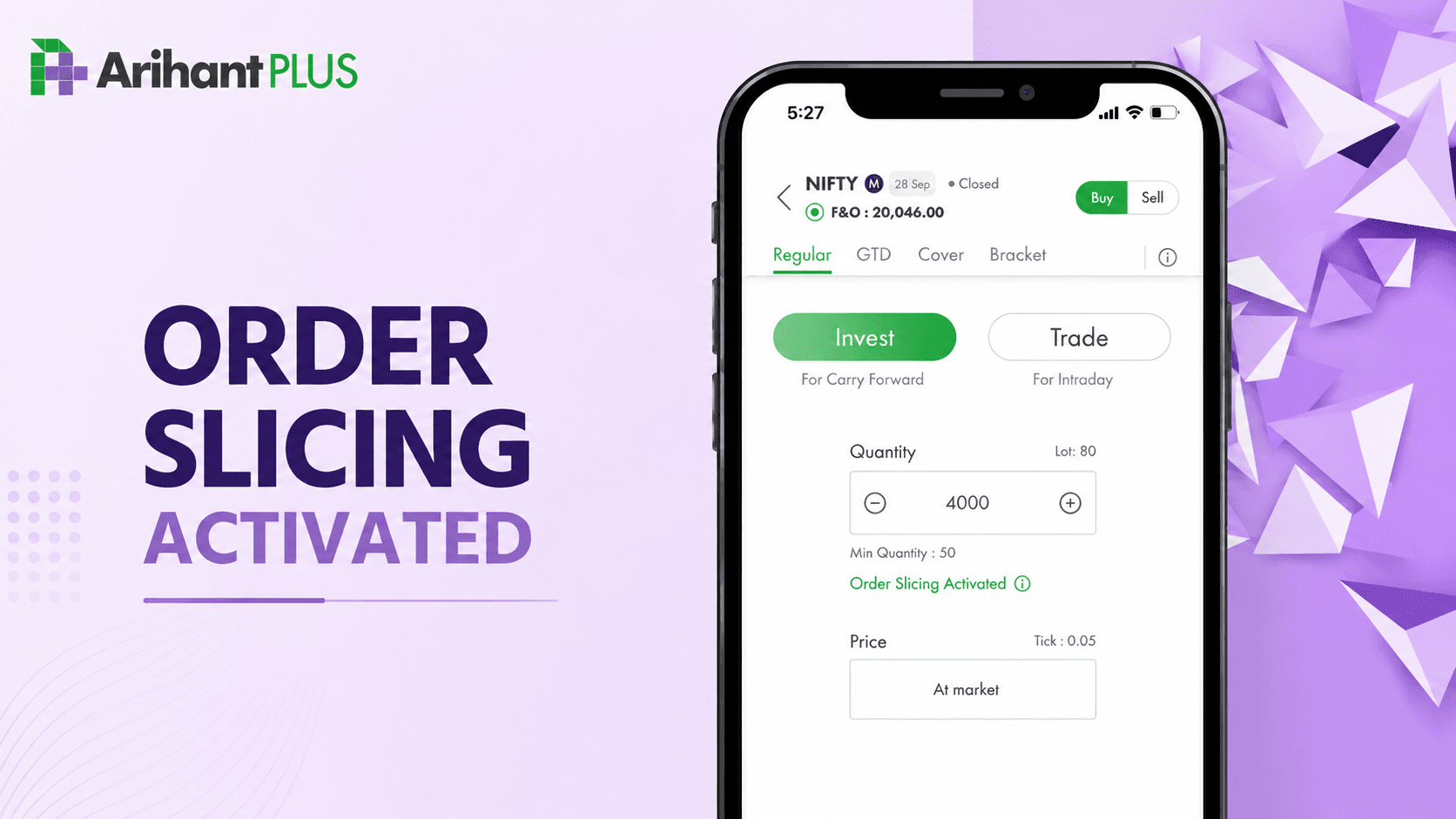
Example from the blog: Suppose a trader wants to buy 4,000 Nifty Futures (80 lots) while the exchange freeze quantity is 1,800 (36 lots) per order.
Without Order Slicing, the trader would manually place:
- Order 1: 1,800 quantity / 36 lots
- Order 2: 1,800 quantity / 36 lots
- Order 3: 400 quantity / 8 lots
With Order Slicing, the trader simply enters 4,000. Arihant Plus automatically divides it into those three exchange orders.
Open a free account today
Invest in tomorrow with just one click
Key Features
The blog states that Order Slicing:
- Works for NSE F&O trades on Arihant Plus.
- Automatically activates when an F&O order exceeds the applicable freeze quantity.
- Supports up to 20 slices of the maximum freeze quantity.
- Treats every slice as a separate order, so brokerage is charged separately on each executed order.
- Isn't supported for AMO orders or during pre-open/post-market sessions.
- Is available on both the Arihant Plus mobile app and web trading platform.
How to Use Order Slicing on Arihant Plus
The process described in the article is:
- Log in to the Arihant Plus mobile app and select the required scrip from the watchlist.
- Tap Buy.
- The Buy order pad opens with the quantity initially set to one lot.
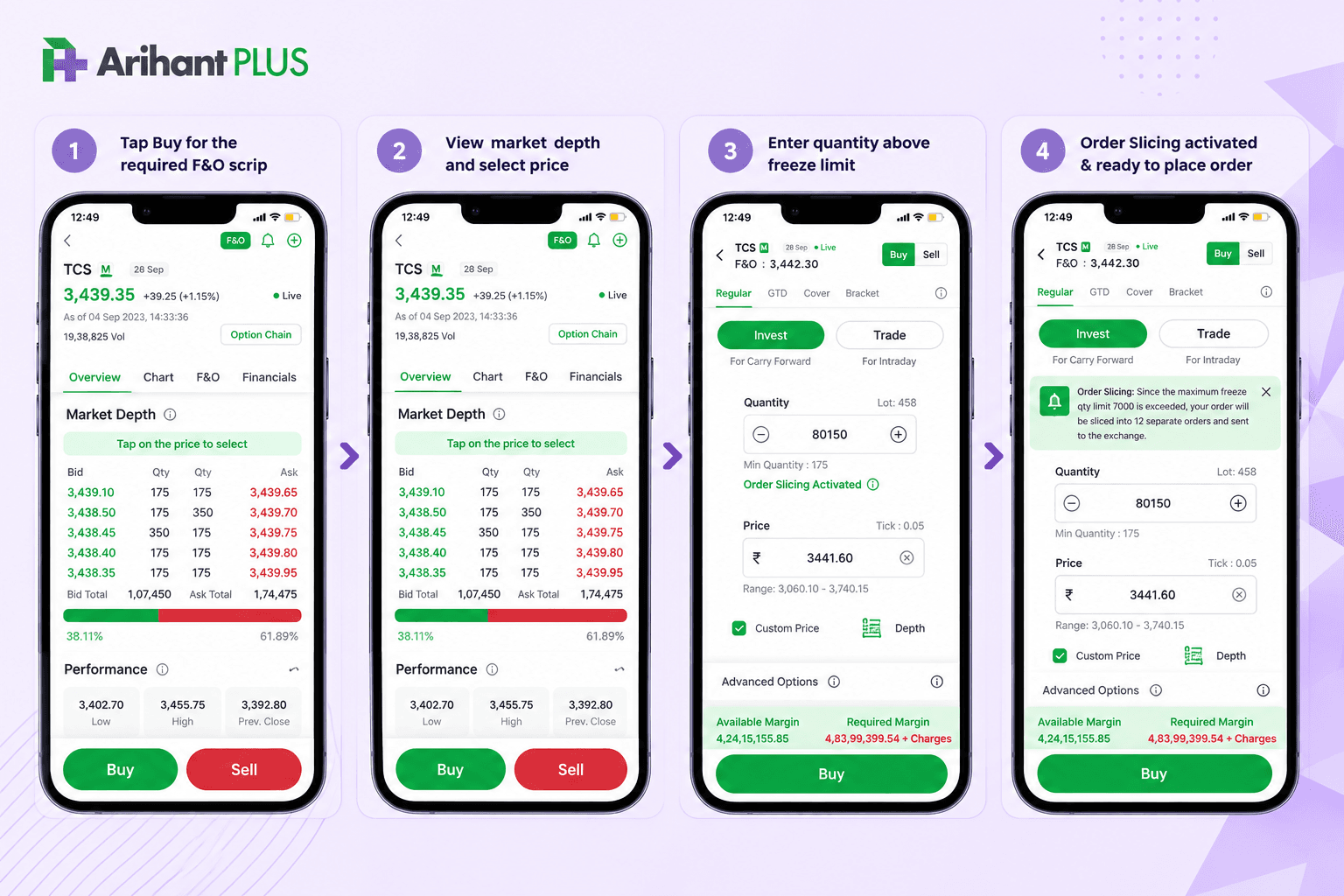
- Enter a quantity greater than the applicable freeze quantity. An “Order Slicing Activated” message appears automatically.
- Tap the information (i) button to see the freeze quantity and how many separate orders will be created.
- Tap Buy and review the order. The review screen displays the number of orders that will be sent to the market.
- Tap Proceed to place the orders. The orders can then be viewed through the order book.
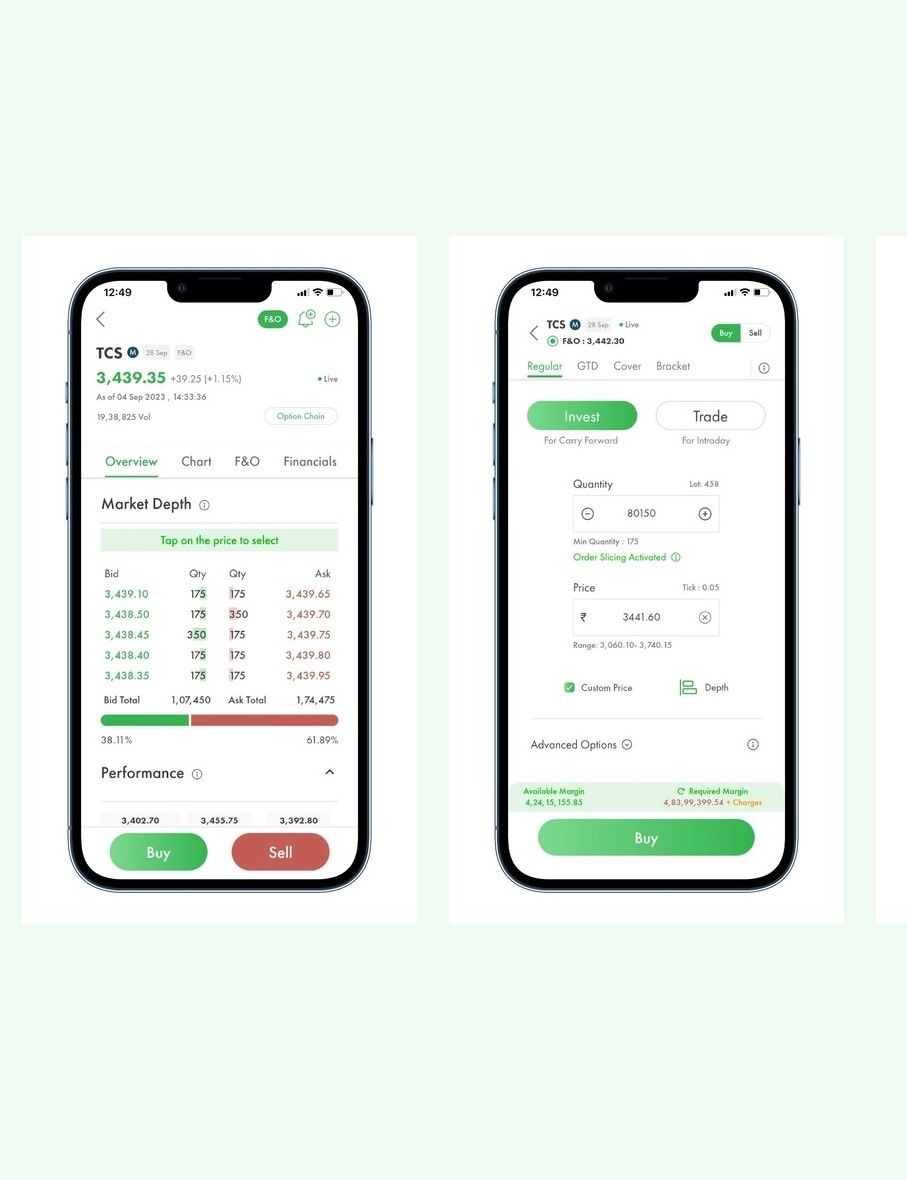
The same mechanism applies when selling/exiting an F&O position above the freeze quantity—the large sell order is automatically divided into smaller orders.
Tracking Sliced Orders
After placement, each sliced order can be tracked through the My Orders section, including whether the individual order is pending, executed, or rejected.

Important FAQs
What are the benefits?
It eliminates the need to manually break up orders above exchange freeze limits. According to the article, slicing can also help reduce market impact and the risk of unfavorable price movements while giving traders greater timing and execution control.
Which segments are supported?
The article states that the feature supports NSE F&O orders.
Is Order Slicing a separate order type?
No. It activates automatically when the entered quantity exceeds the applicable exchange freeze limit.
What's the maximum order size?
Arihant Plus allows a maximum of 20 slices × the applicable freeze quantity. The blog's Nifty example uses a freeze quantity of 1,800, giving a maximum sliced quantity of 28,800 (1,800 × 20) for that example.
Can sliced orders be modified or cancelled?
Yes, but each slice is an independent order. Therefore, each pending sliced order needs to be modified or cancelled individually.
How is brokerage charged?
Brokerage applies individually to every executed slice according to the customer's brokerage plan. For example, five executed slices mean brokerage applies to five separate executed orders. The article says there is no additional charge specifically for using Order Slicing.
Core takeaway: Order Slicing lets an Arihant Plus trader enter one large F&O quantity and have the platform automatically break it into exchange-compliant orders, making large-order execution considerably simpler.

Related Topics

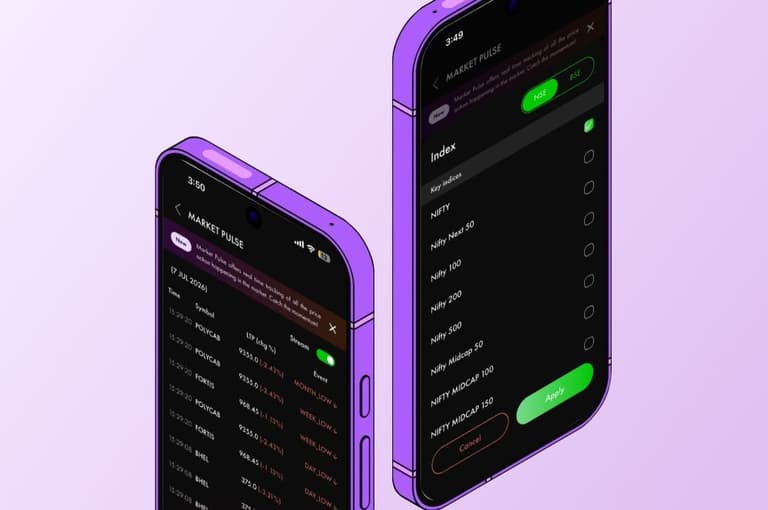
Pulse by Arihant: Your Real-Time Market Radar Has Landed on ArihantPlus

Introducing ArihantPlus MCP: Use AI Assistants to Analyse, Track & Trade



New Features Live: ArihantPlus Mobile App just got an upgrade!